
Set the areas you serve
Open Business profile, choose In specific places under Where are your customers?, add each country you serve and press Save. From then on Hodorak hides posts that clearly come from outside your places.
Choose your places
- In the sidebar, open Business profile. The block is in its first section, The business.
- Choose In specific places, press Add a country and search the country.
- Keep The whole country, or choose Specific areas and press Choose areas to pick states, provinces or governorates. Until you pick one, the whole country counts.
- Serve more than one country? Add each one the same way.
- Press Save in the bar at the bottom of the page.
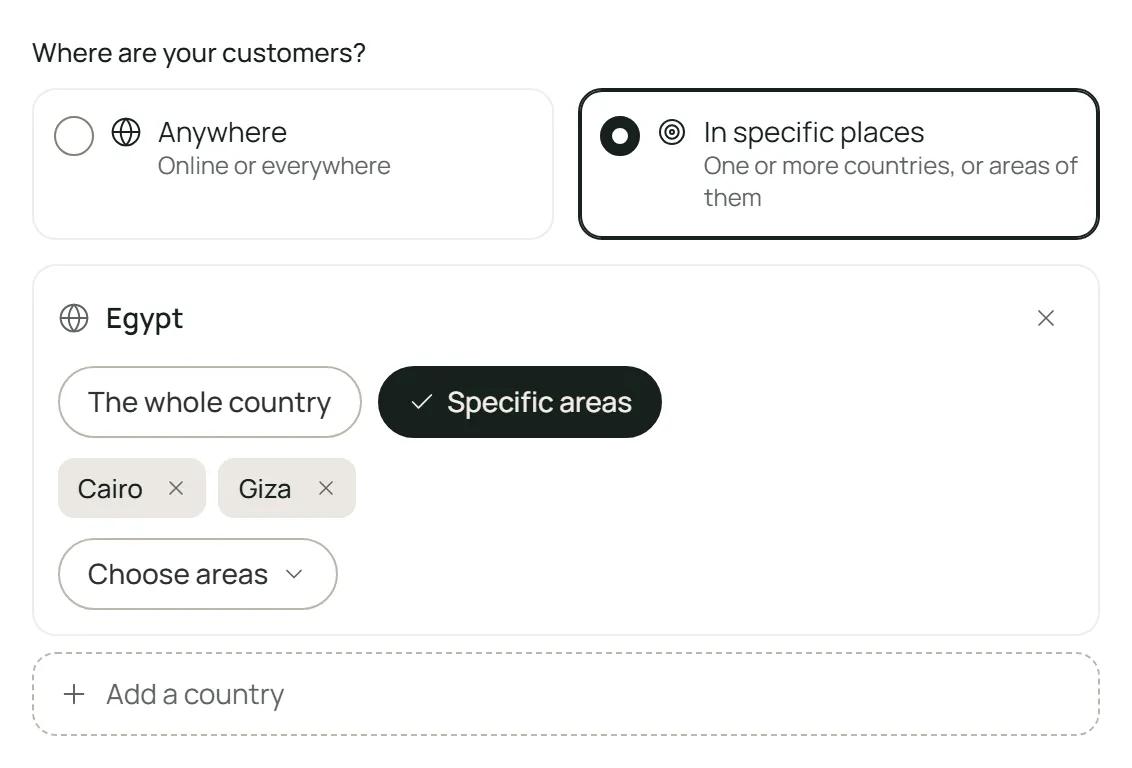
You can choose 50 places at most. Cities are not on the list, so choose the state or province your city is in: a roofer in Calgary chooses Alberta. Anywhere means online or worldwide: no post is hidden or tagged for its place.
How Hodorak knows where a post comes from
It reads a place named in the post or in its group's name, and the place of the group itself. The language of a post never places its author. A lead then carries In your area, Likely in your area (the post names no place, but its group is in your areas) or Outside your area.
The switches under Place and language
Under Place and language, in What I show you:
- Hide posts from places you don’t serve turns on by itself when you add your first place. It hides a post only when it clearly comes from outside your places; turned off, those posts show tagged Outside your area.
- Only posts from my area also hides posts that name no place and are not from a group in your areas. It works only while the switch above is on. New posts like these are not shown, though some may come back in Teach Hodorak.
Changes count for new leads from the moment you save. Turning on Only posts from my area also moves the leads already on your board that name no place to Hidden.
Was this helpful?
Can't find your answer?
Contact usor write to support@hodorak.com